
Command-Line Tools to Complement Your Brain
This page is about command-line tools that can retrieve or store information, in a way that's handier and faster than switching to Google.
tldr
- Website: https://tldr.sh/
- Use in the browser: https://tldr.ostera.io/
- Install via:
npm install -g tldr
If you can never remember the exact invocation to extract a .tar.gz file or (like me) always forget the order of arguments when creating a symbolic link with ln, tldr is the project for you. It aims to provide a few practical examples with brief explanations of how to use common Linux commands, like this:
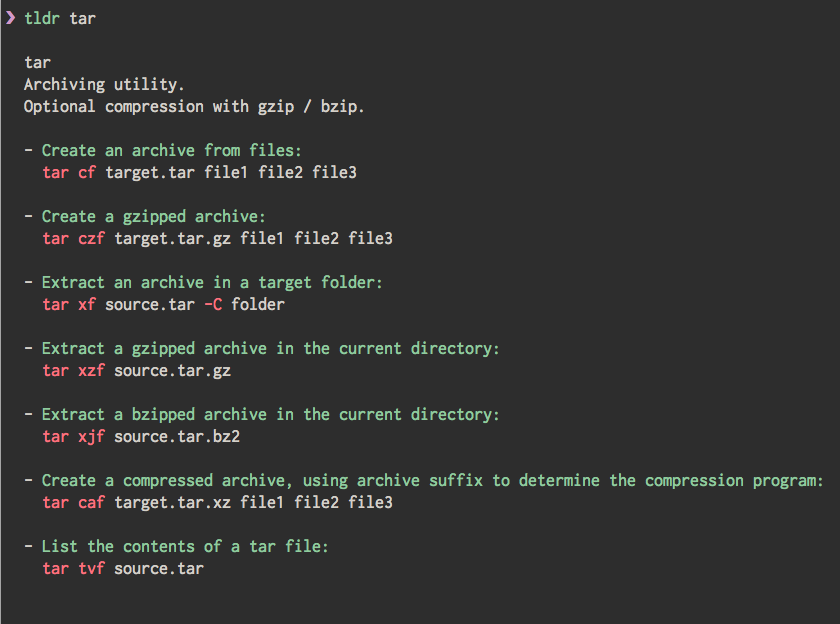
Besides looking up a specific command, you can also use it to discover and learn about a random command (via tldr -r) or search for commands that contain specific terms (like tldr -s "convert jpeg image").
Hands down the most useful utility if you're frequently working on the command line. The Node client (that can be installed via npm) is the recommended one, but there are dozens of other implementations available.
pet
- Website: https://github.com/knqyf263/pet
- Install via: Download the latest release from GitHub and extract
petto a folder in your$PATH
A bit like a personalized version of tldr, pet is a command-line snippet manager that allows you store and query your own list of command-line invocations. What did I need to run to use a Python virtual environment in a Jupyter notebook? What was the command line for getting a count of the most frequent lines in a text file? If I don't want to google it every time, I can just add it to my pet snippets and retrieve it easily later:

The best part is that pet stores snippets in a simple TOML file and can sync to a GitHub Gist, which means that (i) you can share snippets on multiple devices, and (ii) if you ever want to stop using pet or switch to a different tool, all your saved commands are easily accessible in a human-readable format.
colorpedia
- Website: https://github.com/joowani/colorpedia
- Install via:
pip install colorpedia
If you ever work with colors, for example when building a website or creating figures, colorpedia might come in handy as a reference tool:
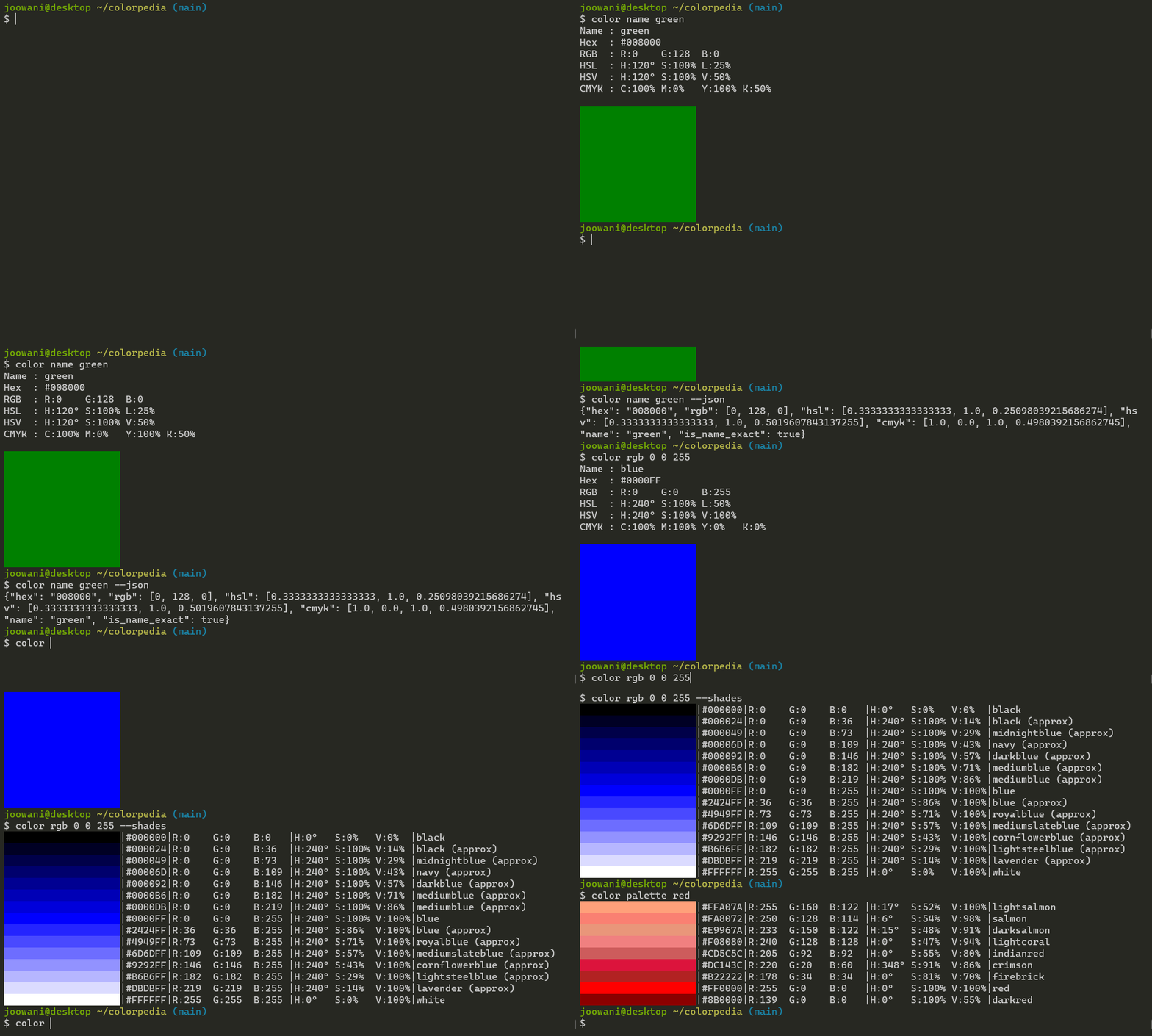
You can look up colors by name, look up and convert between different color representations such as hex, RGB, or HSL, as well as look up common color palettes and automatically generate different shades of a color.
Honorable Mentions
Command-line utilities that are potentially useful, but that I haven't found myself using (frequently) so far:
- buku manages bookmarks
- dnote is a full-featured notebook
- eureka allows to quickly jot down an idea, which gets committed to a git repository